Every prop account. One journal.
JRNL puts your accounts from every firm in one place, shows how close each one is to blowing up, and tells you which trades actually make you money.
Works with your platform and your firms












Built for running five accounts at once.
Generic journals treat you like you have one brokerage account. Prop traders juggle evals, funded accounts and a different rulebook at every firm. JRNL is built around that.
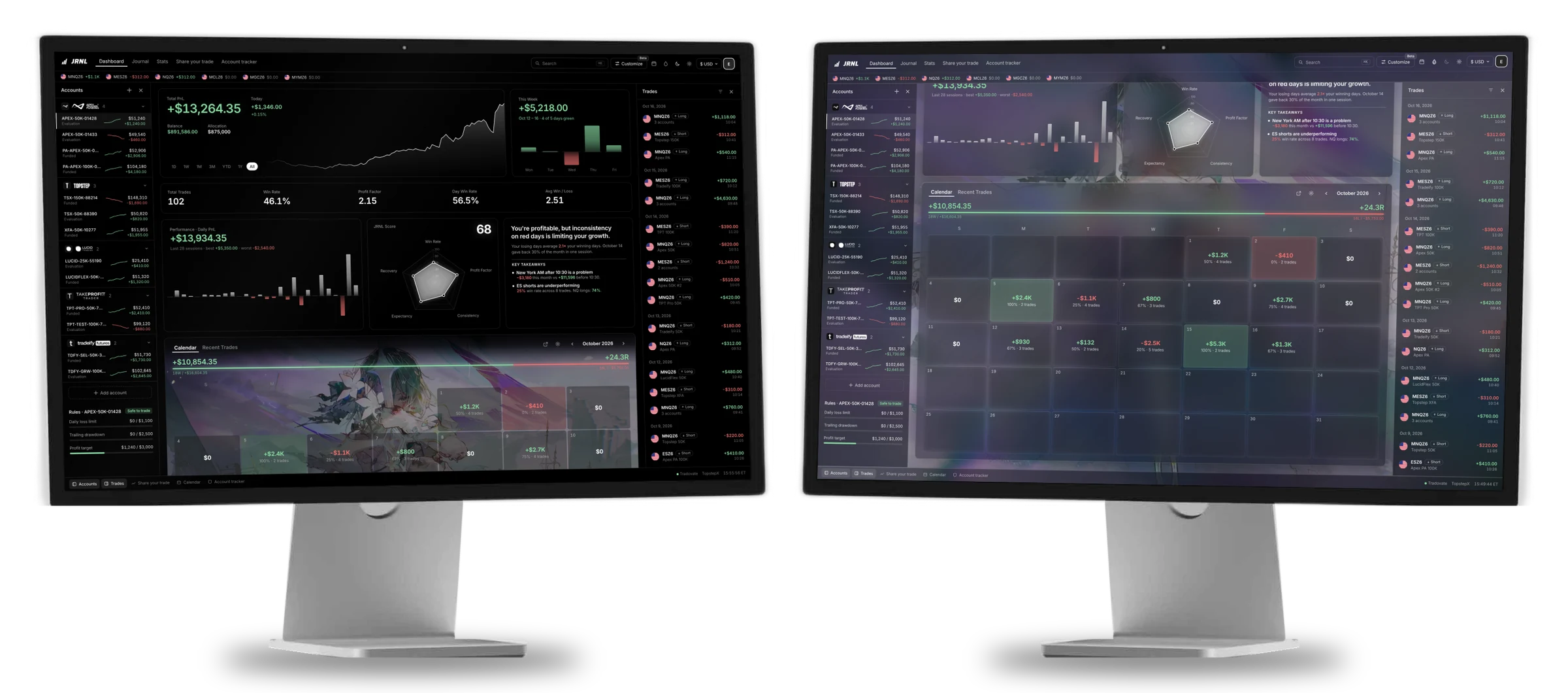
Your dashboard
Every account from every firm on one screen. Switch the timeframe and everything updates, from total P&L down to each day on the calendar.
Make it yours
Put a video behind your calendar, pick your accent color and choose what each day shows. Switch on glass mode and the whole app sits over your background.
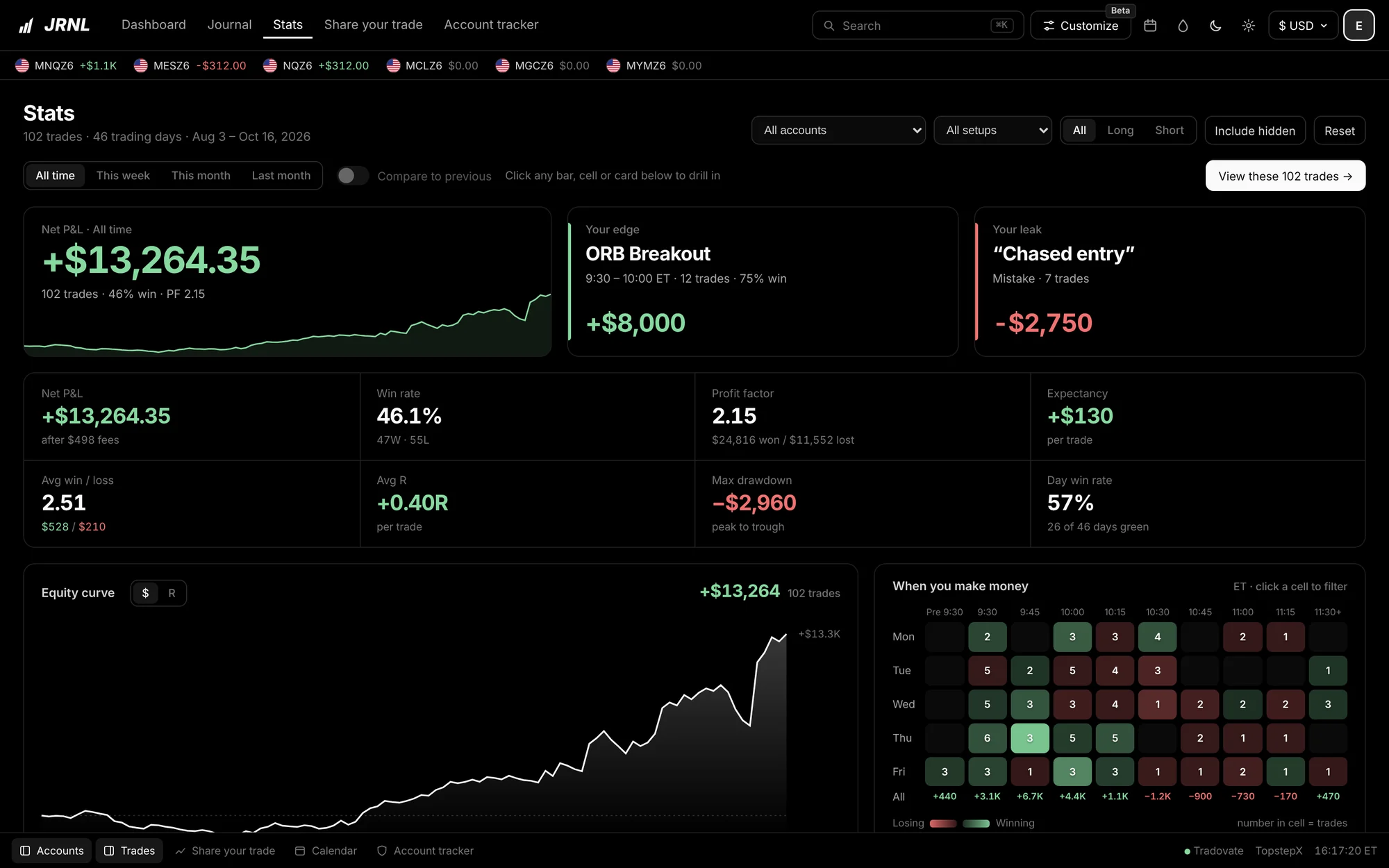
Find your edge and your leak
JRNL points out the setup that makes you the most and the mistake that costs you the most, then shows which hours and days you actually trade well.
- Net P&L, win rate, profit factor, expectancy, drawdown
- Heatmap of when you make and lose money
- Filter by account, setup, side or date, and compare to last period
Know what to make today
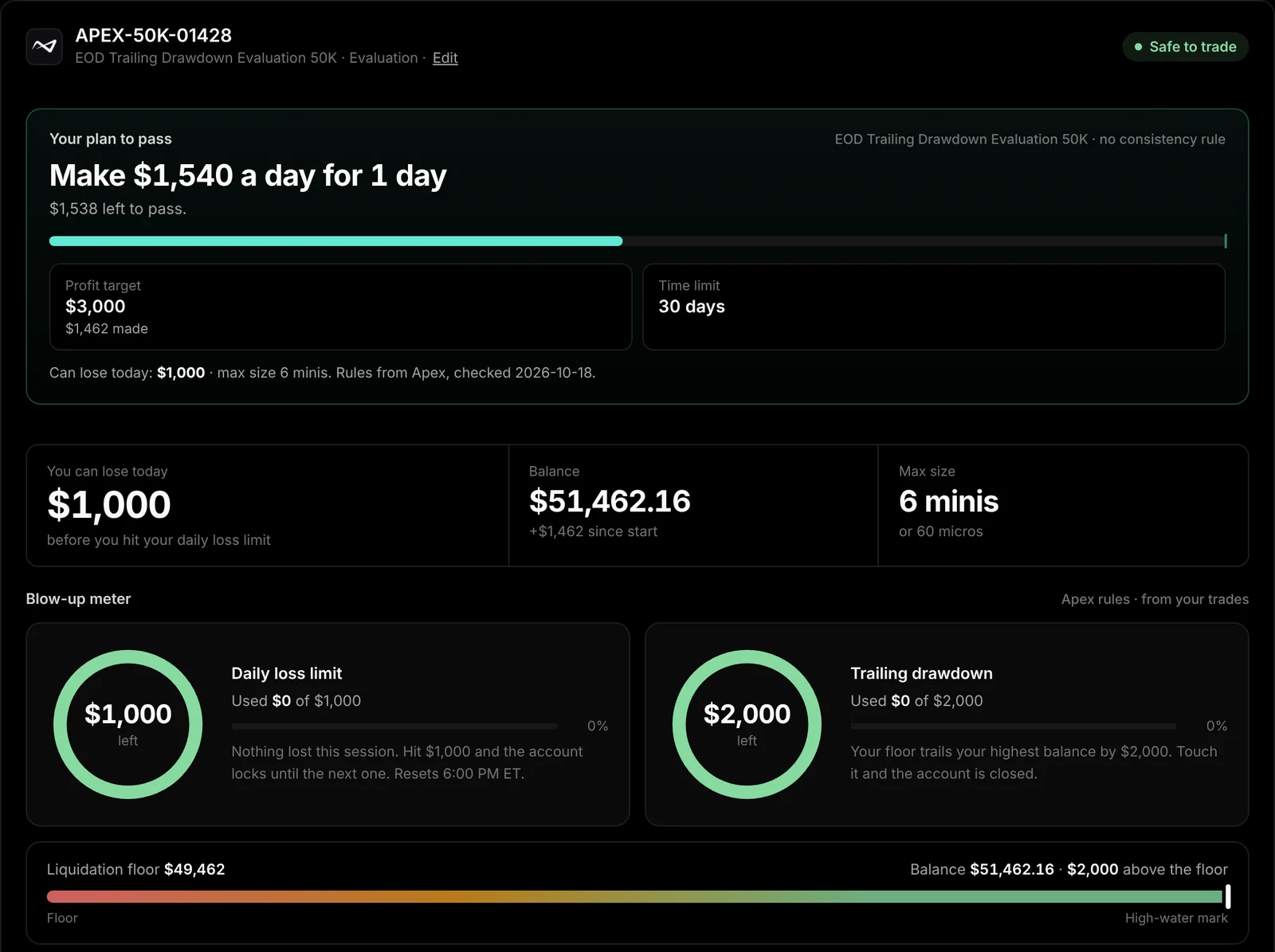
The account tracker gives every account a daily plan: how much to make each day to pass your evaluation or reach your next payout without breaking the consistency rule. It's built on each firm's real rules, so you also see how much room is left before you blow the account.
- A daily target that respects the consistency rule
- Daily loss limit and drawdown left on every account
- Rules for Topstep, Apex, Lucid, Tradeify, MFFU, Take Profit Trader, FundedNext, Goat, Alpha and Bulenox
- Pick your firm, account type and size once and JRNL does the math
Know when you can get paid
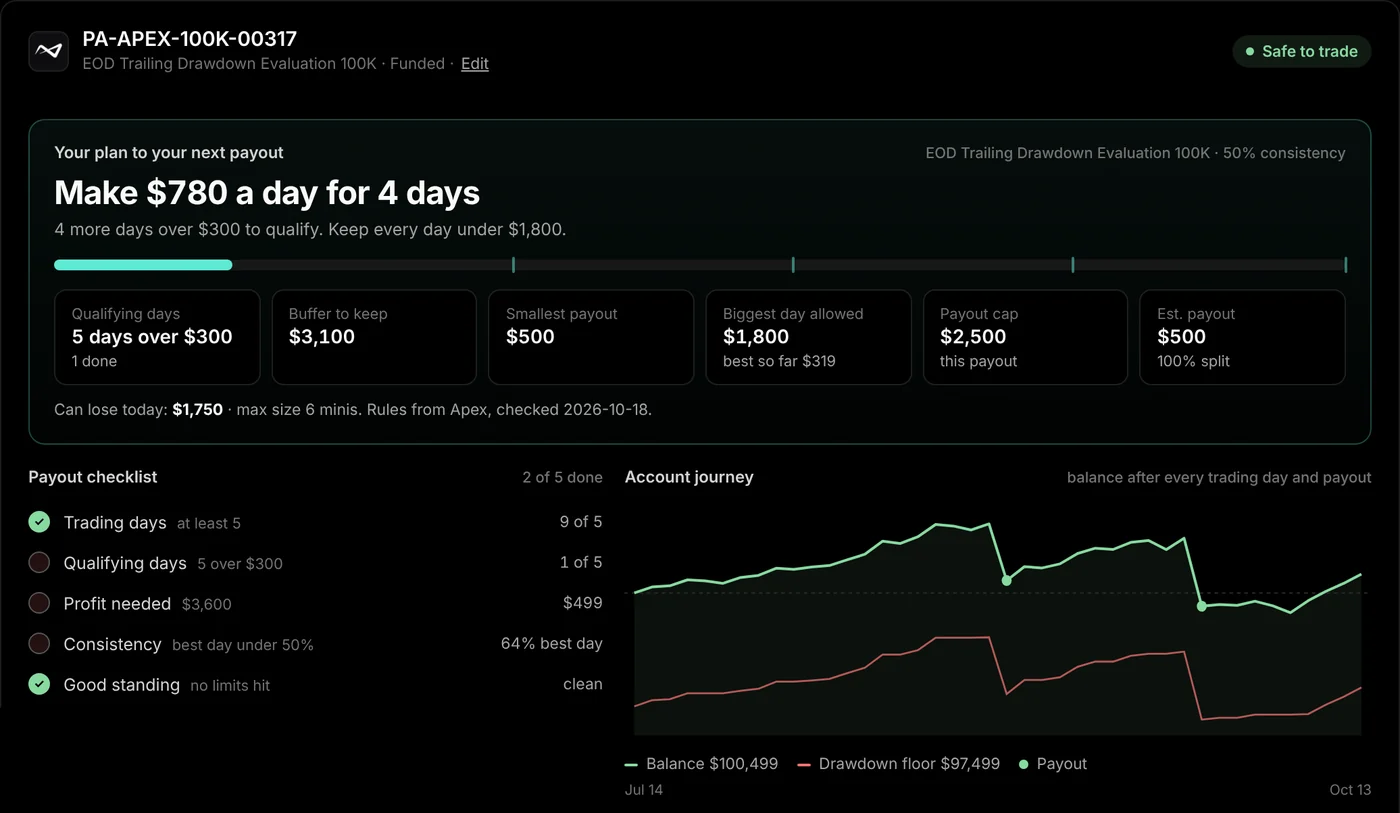
Each funded account tracks its payout threshold, trading days, consistency rule and minimum payout, so you can request the day you qualify. Log what every account cost you and paid you, and see if prop firms are actually making you money.
- A daily plan to your next payout and a checklist of what's still missing
- A money log for eval fees, resets, activations and payouts, with your return on prop firms across every account
- Mark accounts passed, blown or archived, and see each one's journey day by day
Review every trade properly
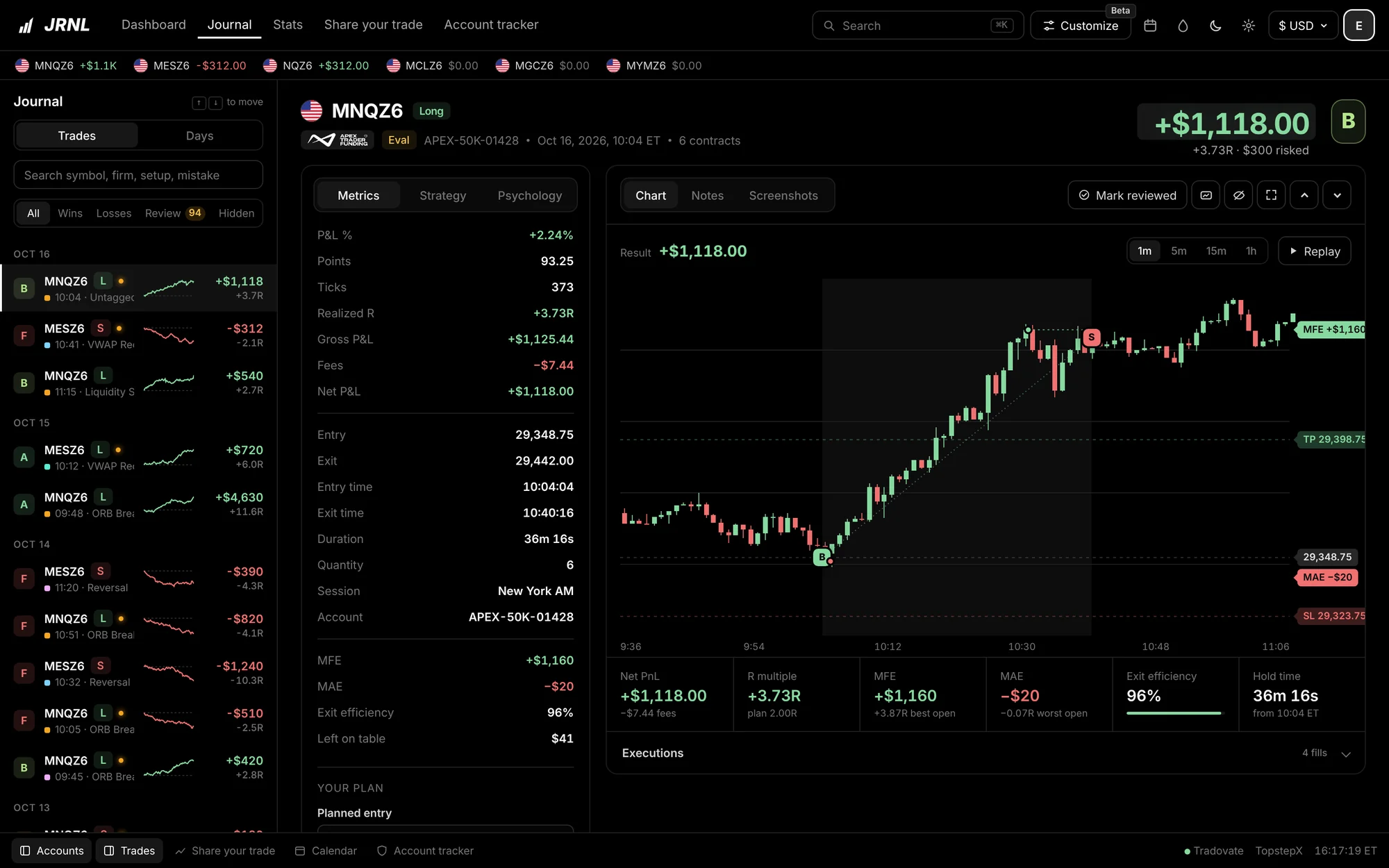
Each trade shows the real CME chart with your entry and exit marked to the second, plus how far it moved for and against you. Tag the setup, note the mistake, grade it.
- MFE, MAE and exit efficiency from real market data
- Replay the trade bar by bar
- Notes, screenshots and a review queue
Post the win
Turn any trade or any day into an animated P&L card drawn from the real price. The line draws itself while the P&L, points and clock tick up, and you download it as a video or an image.
- Took it on three accounts? Combine them into one card
- Landscape for X, portrait for stories
- Video edits with sound, video backgrounds, your colors and your name
- The clock, points and P&L tick up live as the line draws
Pricing
Free with one account. Upgrade when you're running more. Invite-only for now.
Free
For trading one account.
Free forever
Join the waitlist- 1 prop account
- CSV trade import
- Calendar and journal
- Core stats
- Static P&L cards
- JRNL AI trial: 5,000 credits, 10 questions (coming soon)
Pro Most popular
For traders running several accounts.
$228 billed yearly
Join the waitlist- Everything in Free
- Unlimited accounts and firms
- Full stats with edge, leak and heatmap
- Account tracker with daily pass and payout plans
- Money log and return on prop firms
- Animated P&L card videos
- Video backgrounds and glass mode
- JRNL AI: 25,000 credits a month, 50 questions (coming soon)
Elite Coming soon
For traders who want an edge from AI and backtesting. Opens when the AI assistant and backtesting launch.
$348 billed yearly
Get notified- Everything in Pro
- JRNL AI, the coach that knows your trades and firm rules: 125,000 credits a month, 250 questions (coming soon)
- Backtesting on real market data (coming soon)
- Automatic trade sync when it launches
- Priority support
Prices in USD. Cancel anytime from your account. JRNL AI credits: a question = 500 credits, a deep review = 1,500. Monthly credits reset on your billing date and don’t roll over.
Questions
Which prop firms does JRNL work with?
Any futures prop firm. JRNL has the full rules for 42 account types at Topstep, Apex, Lucid, Tradeify, MFFU, Take Profit Trader, FundedNext, Goat, Alpha and Bulenox, and you can journal and track P&L for any other firm too.
How do my trades get into JRNL?
Export your trade history from Tradovate, TopstepX, Rithmic R|Trader Pro, NinjaTrader, WealthCharts, Quantower or Sierra Chart and drop the file in. On Tradesea, which has no export, drop in screenshots of your trades and JRNL reads them. JRNL matches each trade to the right account and skips duplicates. Automatic sync is in the works.
Where do the rule numbers come from?
From your firm's own figures: daily loss limit, trailing drawdown and payout terms. Always check your firm's dashboard before a trade that matters. If the two disagree, your firm's number wins.
Is my data private?
Yes. Your journal is tied to your login and stored with row-level security, so no other account can read it. We don't sell your data. Read the privacy policy.
Can I cancel anytime?
Yes. Cancel from your account and you keep paid features until the end of the period you paid for. Your journal stays on the Free plan.
When can I get in?
JRNL is invite-only while we onboard the first traders. Join the waitlist and we'll email you (or text you, if you leave a number) when your invite is ready.
Do I need a card to start?
No. The Free plan doesn't ask for a card. Pro comes with a 7-day free trial, which takes a card at checkout and doesn't charge you if you cancel before it ends.
Stop finding out at the close.
Get on the waitlist and we'll send your invite. Setup takes a few minutes, and then you'll see where you stand on every account.